What the web renderer draws
Every block below is drawn live from its example data, followed by the props it takes. Both come from the renderer's own block shapes, so this page changes with the code.
Step rail
From a sentence to running software.
- 1
Describe
what the business needs
You - 2
Set up
once
Once - 3
Run
every day
| Prop | Kind | What it holds |
|---|---|---|
eyebrow | text | A short line above the heading. |
heading | text | The section's heading. |
lede | text | A sentence under the heading. |
steps | list, max 5required | Two to five steps, numbered in this order. |
steps[].icon | text | A lucide icon name, such as `sparkles`, or an image of the site's assets, `assets/<file>`. |
steps[].title | textrequired | The step's name. |
steps[].text | text | A line under the name. |
steps[].tag | text | A short label, such as who does the step. |
steps[].tag_tone | text: accent, plain | `accent` marks the tag; `plain` is the default. |
Flow step
3
It goes live by itself.
Automatic| Prop | Kind | What it holds |
|---|---|---|
number | numberrequired | The step's place in the flow. |
heading | textrequired | The step's heading. |
body | text | A sentence under the heading. |
tag | text | A short label, such as who does the step. |
tag_tone | text: accent, plain | `accent` marks the tag; `plain` is the default. |
figure | variant: form, status, path | What the step shows, drawn by its `kind`; without it the step draws its head only. |
figure(form).title | textrequired | The record's kind, such as `Order`. |
figure(form).ref | text | The record's number. |
figure(form).fields | list, max 6 | Its fields, two by two. |
figure(form).fields[].label | textrequired | The field's name. |
figure(form).fields[].value | textrequired | What it holds. |
figure(form).states | texts, max 6 | Its states in order. |
figure(form).current | text | The state marked as current. |
figure(status).layout | text: stack, row | `row` lays the rows out side by side from a medium screen up; `stack` is the default. |
figure(status).rows | list, max 6required | What is set up, one row each. |
figure(status).rows[].label | textrequired | What the row is, such as `App`. |
figure(status).rows[].value | textrequired | Its value. |
figure(status).rows[].note | text | A line beside the value. |
figure(status).rows[].stages | texts, max 6 | The stages the row went through. |
figure(path).heading | text | A line above the path. |
figure(path).stages | texts, max 6required | The stages in order. |
figure(path).current | text | The stage the runner reaches; the first when left out. |
figure(path).update | object | A note under the path. |
figure(path).update.heading | textrequired | The note's heading. |
figure(path).update.text | text | A line under it. |
figure(path).update.count | number | How many small marks stand for whom it reaches. |
figure(path).update.icon | text | A lucide icon name, or an image of the site's assets, `assets/<file>`. |
Screen feature
Everything your app needs, included.
includedWith every app.
Your app
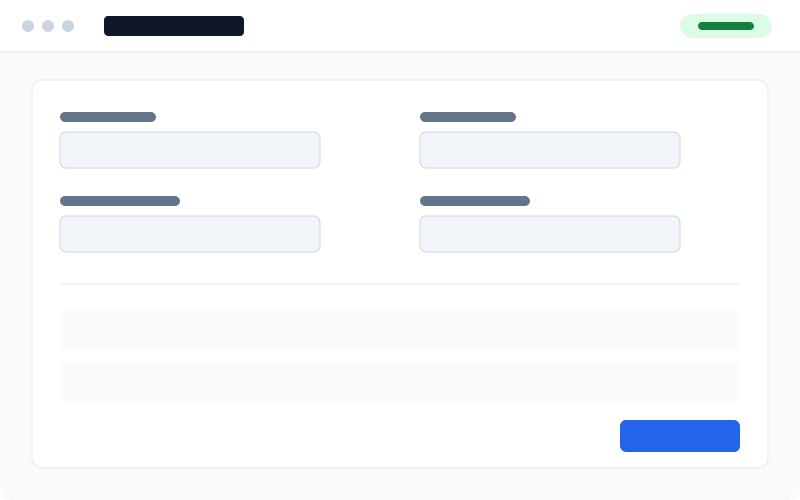
- In all your languages
- Light and dark
| Prop | Kind | What it holds |
|---|---|---|
icon | text | A lucide icon name or an image of the site's assets, `assets/<file>`, in the head's tile. |
heading | textrequired | The section's heading. |
lede | text | A sentence under the heading. |
badge | text | A short accent label on a line of its own, such as `included`. |
badge_note | text | A line beside the badge. |
title | text | The card's title. |
text | text | A line under the card's title. |
link_label | text | A text button beside the card's title that opens `link_shot` large. |
link_shot | object | The screenshot `link_label` opens. |
link_shot.light | textrequired | The image in light mode, and in both modes without a `dark` twin. |
link_shot.dark | text | Its twin in dark mode. |
link_shot.alt | textrequired | What the image shows, for a reader who cannot see it. |
link_shot.paper | flag | A printed page: one image, the same in both modes, drawn whole. |
screens | list, max 2required | One or two screenshots: a desktop one, and a phone beside it. |
screens[].light | textrequired | The image in light mode, and in both modes without a `dark` twin. |
screens[].dark | text | Its twin in dark mode. |
screens[].alt | textrequired | What the image shows, for a reader who cannot see it. |
screens[].paper | flag | A printed page: one image, the same in both modes, drawn whole. |
screens[].label | text | A short label on the image, such as `Phone`. |
screens[].frame | text: desktop, phone | `phone` draws it in a phone's frame; `desktop` is the default. |
points | texts, max 6 | Short points under the screens. |
Hub
The core
The engine
Reads what was built and serves it.
One core feeds them all.
- App
- Websites
- Reports
| Prop | Kind | What it holds |
|---|---|---|
label | text | A short line above the heading. |
heading | textrequired | The core's name. |
body | text | A line under the heading. |
core | text | A lucide icon name or an image of the site's assets, `assets/<file>`, drawn between the arrows. |
note | text | A line above the outputs. |
outputs | texts, max 6required | What the core feeds, one to six, in order. |
Shot cards
Reminders and imports, finished even after an interruption.
| Prop | Kind | What it holds |
|---|---|---|
eyebrow | text | A short line above the heading. |
heading | text | The section's heading. |
lede | text | A sentence under the heading. |
cards | list, max 4required | One to four cards, in a row from wide screens up. |
cards[].title | textrequired | The card's name. |
cards[].text | text | A line under the name. |
cards[].shots | list, max 2 | None, one or two screenshots on top of the card, side by side. |
cards[].shots[].light | textrequired | The image in light mode, and in both modes without a `dark` twin. |
cards[].shots[].dark | text | Its twin in dark mode. |
cards[].shots[].alt | textrequired | What the image shows, for a reader who cannot see it. |
cards[].shots[].paper | flag | A printed page: one image, the same in both modes, drawn whole. |
cards[].icon | text | Without a screenshot: a lucide icon name or an image of the site's assets, `assets/<file>`, on top of the card. |
cards[].icon_text | text | Without a screenshot: a sentence under that icon. |
Disclosures
For engineers
What an app is made of
Order.entity.jsonorder.ts
| Artefact | What it does |
|---|---|
| entity JSON | The records and their fields |
| Prop | Kind | What it holds |
|---|---|---|
eyebrow | text | A short line above the heading. |
heading | text | The section's heading. |
lede | text | A sentence under the heading. |
items | list, max 8required | The panels, closed until a reader opens one. |
items[].summary | textrequired | The panel's line, which opens it. |
items[].chips | list, max 16 | Short labels, such as file names. |
items[].chips[].label | textrequired | The chip's text. |
items[].chips[].tone | number | 1 to 6: one of six marks from the theme's accent, so chips of one kind match; 1 when left out. |
items[].head | texts, max 2 | The table's column heads, one or two; a missing second one stays empty. |
items[].rows | list, max 16 | The table's rows. |
items[].rows[].label | textrequired | The left cell. |
items[].rows[].value | textrequired | The right cell. |
Stack
The products
Lending
availableLoans and returns.
Shop
coming| Prop | Kind | What it holds |
|---|---|---|
eyebrow | text | A short line above the heading. |
heading | text | The section's heading. |
lede | text | A sentence under the heading. |
items | listrequired | The products; one with neither a title nor a lockup is left out. |
items[].title | text | The product's name, where no lockup draws it. |
items[].lockup | object | The product's name as a family lockup, such as `family ● product`. |
items[].lockup.family | text | The family's word. |
items[].lockup.product | text | The product's word. |
items[].status | text: available, early_access, coming | How available the product is today. |
items[].body | text | A sentence under the name. |
items[].href | text | Where the card's link leads; drawn only with `link_label`. |
items[].link_label | text | The link's text. |
Compare
Before and after
| Before | After | |
|---|---|---|
| Loans | BeforeOn paper | AfterIn the app |
| Prop | Kind | What it holds |
|---|---|---|
eyebrow | text | A short line above the heading. |
heading | text | The section's heading. |
lede | text | A sentence under the heading. |
columns | texts, max 2required | The two columns' heads; without both nothing is drawn. |
rows | listrequired | The rows; one without an aspect is left out. |
rows[].aspect | textrequired | What the row compares. |
rows[].a | text | The first column's cell. |
rows[].b | text | The second column's cell. |
Checklist
What you need
- An IDany official one
- An address
| Prop | Kind | What it holds |
|---|---|---|
eyebrow | text | A short line above the heading. |
heading | text | The section's heading. |
items | listrequired | The points; one without `what` is left out. |
items[].what | textrequired | The point. |
items[].note | text | A line beside it. |
Signals
In short
- Free
- Open six days
- In the town centre
| Prop | Kind | What it holds |
|---|---|---|
eyebrow | text | A short line above the heading. |
items | textsrequired | The short claims, one per line. |
note | text | A small line under them. |
Hero
| Prop | Kind | What it holds |
|---|---|---|
eyebrow | text | A short line above the heading. |
heading | textrequired | The page's headline; without it the hero draws nothing. |
lede | text | A sentence under the heading. |
accent | text | The part of the heading drawn in the accent; a part the heading does not hold is not drawn so. |
align | text: start, center | `center` centres the text and the actions; `start` is the default. |
size | text: normal, small | `small` sets the heading in text-page-heading; `normal` keeps the larger hero heading. The lede is unchanged. |
question | text | A line above the actions. |
primary | object | The main call to action. Without `label`, or without `href` and the sheet, none is drawn. |
primary.label | textrequired | The button's text. |
primary.href | text | Where it leads: a path of the site, which takes the page's language, an address, or `mailto:`. |
primary.action | text: sheet | `sheet` opens the site's contact sheet instead of `href`. |
primary.note | text | A line beside the button, such as the mail address it writes to. |
secondary | object | A second, quieter call to action. Without `label`, or without `href` and the sheet, none is drawn. |
secondary.label | textrequired | The button's text. |
secondary.href | text | Where it leads: a path of the site, which takes the page's language, an address, or `mailto:`. |
secondary.action | text: sheet | `sheet` opens the site's contact sheet instead of `href`. |
secondary.note | text | A line beside the button, such as the mail address it writes to. |
note | text | A small line under the actions. |
figure | text: logo | `logo` draws the site's own logo (the tenant's `logo` and `logo_dark` appearance images) beside the text in a second column; a site with no logo leaves the hero as text alone. |
atmosphere | text: none, data-rain | What falls behind the hero; left out, the site's `hero_atmosphere`. |
rain | list, max 5 | The rain's columns, drawn only under the block's own `atmosphere`. |
rain[].tokens | texts | The words of one column, top to bottom. |
Rich text
Visit us
Open Monday to Saturday.
The reading room closes an hour earlier.
| Prop | Kind | What it holds |
|---|---|---|
eyebrow | text | A short line above the heading. |
heading | text | The section's heading. |
lede | text | A sentence under the heading. |
body | text | The text; an empty line starts a new paragraph. |
rows | list, max 16 | Rows under the text, a label and its value each; a row without both is left out. |
rows[].label | textrequired | The left cell. |
rows[].value | textrequired | The right cell. |
rows[].href | text | Makes the value a link: `https:`, `mailto:` or `tel:`; any other target leaves the value as text. |
primary | object | A call to action under the text. Without `label`, or without `href` and the sheet, none is drawn. |
primary.label | textrequired | The button's text. |
primary.href | text | Where it leads: a path of the site, which takes the page's language, an address, or `mailto:`. |
primary.action | text: sheet | `sheet` opens the site's contact sheet instead of `href`. |
primary.note | text | A line beside the button, such as the mail address it writes to. |
secondary | object | A second, quieter call to action. Without `label`, or without `href` and the sheet, none is drawn. |
secondary.label | textrequired | The button's text. |
secondary.href | text | Where it leads: a path of the site, which takes the page's language, an address, or `mailto:`. |
secondary.action | text: sheet | `sheet` opens the site's contact sheet instead of `href`. |
secondary.note | text | A line beside the button, such as the mail address it writes to. |
note | text | A small line under the actions. |
align | text: start, center | `center` centres the text; `start` is the default. |
size | text: normal, small | `small` sets the lede as a small aside; `normal` is the default. |
Feature grid
What members get
Included
How long may I keep a book?
Three weeks
Every loan runs three weeks.
Reservations
| Prop | Kind | What it holds |
|---|---|---|
eyebrow | text | A short line above the heading. |
heading | text | The section's heading. |
lede | text | A sentence under the heading. |
variant | text: grid, pillars, pipeline, segments | How the cards are laid out: `grid` (the default) draws two then three columns with an icon and a badge; `pillars` draws four columns for a count that divides by four, else three; `pipeline` draws an ordered list with an uppercase mono foot; `segments` draws a count of three or of a multiple of three in three columns, any other even count in two, with a sentence foot. |
layout | text: joined | `joined` draws the `pillars` and `pipeline` cards in one frame divided by hairlines; left out, each card stands alone. |
note | text | A small label at the side of the heading, in the `pillars`, `pipeline` and `segments` variants. |
items | listrequired | The cards; `pillars`, `pipeline` and `segments` leave out one without a title, `grid` draws it. |
items[].icon | text | A lucide icon name, such as `sparkles`, or an image of the site's assets, `assets/<file>`. |
items[].badge | text | A short label at the top of the card, beside the icon. |
items[].mark | text | A short mark above the title, such as `01`. |
items[].question | text | A question line above the title. |
items[].title | textrequired | The card's title. |
items[].body | text | A sentence under the title. |
items[].footer | text | A line at the card's foot, such as how long a stage takes or what a segment gains. |
Stats
- Books
- 12,000
- Members
- 800
| Prop | Kind | What it holds |
|---|---|---|
items | listrequired | The figures, up to four in a row on a wide screen. |
items[].label | text | What the figure counts. |
items[].value | text | The figure. |
Media
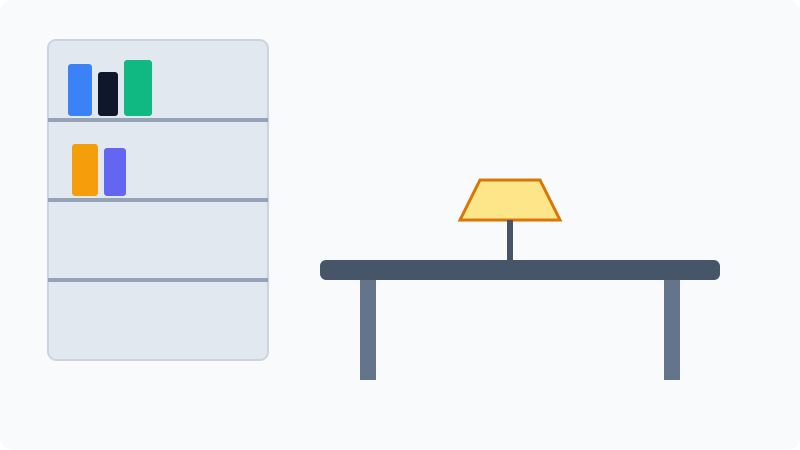
The reading room
| Prop | Kind | What it holds |
|---|---|---|
image | text | The image as a file id or `assets/<file>`; it wins over `src`. |
src | text | The image's address. |
alt | text | What the image shows, for a reader who cannot see it. |
caption | text | A line under the image. |
Call to action
See it live, with your own process.
We show live demos by appointment.
Book a live demohello@example.com
| Prop | Kind | What it holds |
|---|---|---|
heading | textrequired | The panel's heading; without it the panel draws nothing. |
body | text | A line under the heading. |
primary | object | The main call to action. Without `label`, or without `href` and the sheet, none is drawn. |
primary.label | textrequired | The button's text. |
primary.href | text | Where it leads: a path of the site, which takes the page's language, an address, or `mailto:`. |
primary.action | text: sheet | `sheet` opens the site's contact sheet instead of `href`. |
primary.note | text | A line beside the button, such as the mail address it writes to. |
secondary | object | A second, quieter call to action. Without `label`, or without `href` and the sheet, none is drawn. |
secondary.label | textrequired | The button's text. |
secondary.href | text | Where it leads: a path of the site, which takes the page's language, an address, or `mailto:`. |
secondary.action | text: sheet | `sheet` opens the site's contact sheet instead of `href`. |
secondary.note | text | A line beside the button, such as the mail address it writes to. |
note | text | A small line under the actions. |
frame | text: card, none | `none` draws the panel without its card, border and glow; `card` is the default. |
background | text | The image inside the panel's border, in light mode and in both modes without a `background_dark` twin, as `assets/<file>`, a file id or an address; it replaces the glow. |
background_dark | text | Its twin in dark mode. |
Embed
| Prop | Kind | What it holds |
|---|---|---|
src | textrequired | The address the frame shows, or a YouTube or Vimeo link; without it nothing is drawn. |
title | text | The frame's title for a screen reader. |
Code
One file
book.entity.jsonjson
{ "name": "Book" }| Prop | Kind | What it holds |
|---|---|---|
code | textrequired | The code, as it is shown; without it nothing is drawn. |
title | text | A file name or title above the code. |
language | text | The language's name, shown as a badge. |
format | text: diff | `diff` draws the code as a patch: the added, removed and hunk lines in their own colours; left out, the code is drawn as it is. |
heading | text | The section's heading. |
intro | text | A sentence above the code. |
caption | text | A line under the code. |
Contact details
Find us
| Prop | Kind | What it holds |
|---|---|---|
heading | text | The section's heading. |
body | text | A sentence under the heading. |
address | textsrequired | The postal address, one line each; without it nothing is drawn. |
email | text | The mail address; where it is the site's contact address, the form below does not repeat it. |
phone | text | The phone number. |
booking_url | text | Where the booking button leads; drawn only with `booking_label`. |
booking_label | text | The booking button's text. |
form | object | The texts of this form and of the contact sheet in every page's header; each one left out keeps the site's text. |
form.title | text | The sheet's title. |
form.heading | text | The heading above the form. |
form.lede | text | A sentence under it. |
form.name | text | The name field's label. |
form.email | text | The mail field's label. |
form.message | text | The message field's label. |
form.messagePlaceholder | text | The message field's hint; left empty, the field has none. |
form.send | text | The send button's text. |
App list
| Prop | Kind | What it holds |
|---|---|---|
eyebrow | text | A short line above the heading. |
heading | text | The section's heading. |
lede | text | A sentence under the heading. |
Layer switcher
How an order moves through the shop.
Switch between the layers.
| Prop | Kind | What it holds |
|---|---|---|
eyebrow | text | A short line above the heading. |
heading | text | The section's heading. |
lede | text | A sentence under the heading. |
layers | list, max 6required | The layers a visitor switches between, one tab each; the first shows first. |
layers[].label | textrequired | The tab's text. |
layers[].panes | list, max 2required | One or two panes the layer shows side by side. |
layers[].panes[].eyebrow | text | A short line above the pane's title. |
layers[].panes[].title | textrequired | The pane's title. |
layers[].panes[].pills | texts, max 6 | The steps of a flow, drawn as pills in this order. |
layers[].panes[].current | text | The pill marked as the current step, by its text; without it no pill is marked. |
layers[].panes[].rows | list, max 6required | The pane's rows, each a label and its status. |
layers[].panes[].rows[].label | textrequired | What the row is about. |
layers[].panes[].rows[].status | textrequired | The row's status, on its right. |
layers[].panes[].rows[].status_tone | text: accent, success, plain | `accent` marks the status in the theme's accent, `success` in the theme's success color; `plain` is the default. |
Video
How an order moves through the shop.
With voiceover and subtitles.
| Prop | Kind | What it holds |
|---|---|---|
eyebrow | text | A short line above the heading. |
heading | text | The section's heading. |
lede | text | A sentence under the heading. |
light | textrequired | The video for a light page, as a file id, an `assets/` name, a path starting with `/`, or a YouTube or Vimeo link; without it the block draws nothing. A link plays on every page, so `dark`, `voiceover` and `cues` stay empty with it. |
dark | text | The video for a dark page and a dark band, as a file id, an `assets/` name or a path starting with `/`, never a link; without it `light` plays there too. |
voiceover | text | The spoken track in the page's language, as a file id, an `assets/` name or a path starting with `/`. It plays in step with the video once the visitor turns the sound on with the block's sound button, and never before. |
cues | list, max 32 | The subtitle lines, each shown from `start` to `end` (seconds of the video), its words lighting up in order. |
cues[].start | numberrequired | The second the line starts. |
cues[].end | numberrequired | The second the line ends. |
cues[].text | textrequired | The spoken line. |
caption | text | A line under the video. |